Lux Express · Product strategy, UX audit & mobile product concept
From a fragmented ticket flow to a connected travel companion.
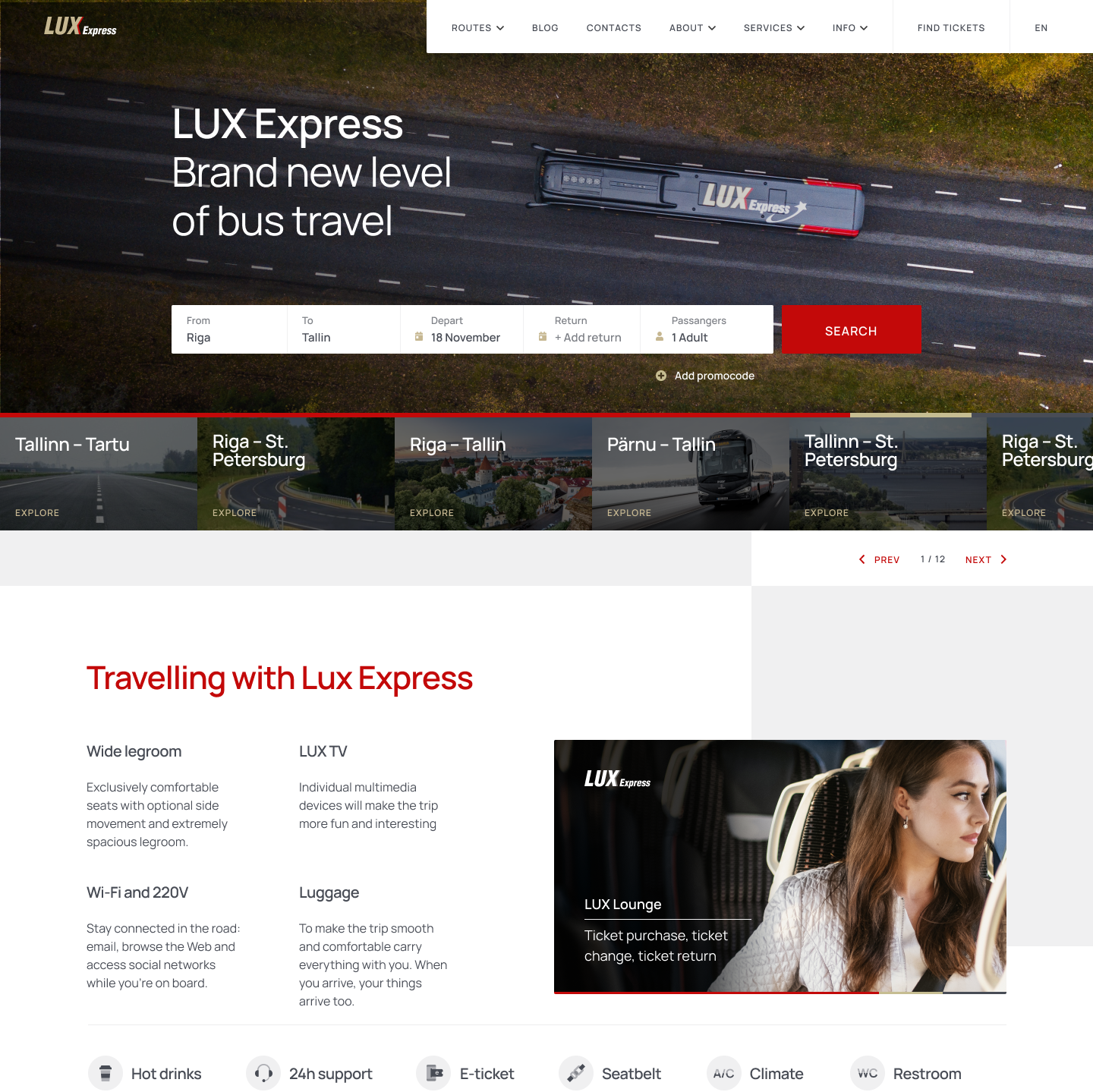
Lux Express is an Estonian international coach operator known for a high-quality onboard experience — closer to air travel than to a conventional bus journey. Its digital experience did not communicate the same level of comfort, reliability or care. There was no mobile application, while around 60% of website traffic came from mobile devices.
Product ambition: let a passenger book a trip in about 10 seconds — while keeping clarity, trust and control.
Client
Lux Express, Estonia
Industry
Travel · Mobility · Ticketing
My role
Product / UX Design Lead · Senior UI/UX · CRO
Product
Mobile travel app & ticket ecosystem
01 — My responsibilities
Strategy, audit, architecture and product concepts.
Strategy, audit, experience architecture and product concepts were completed. Some features described below belonged to the future roadmap rather than launched functionality.
- Product discovery and design strategy
- Stakeholder interviews and workshop facilitation
- UX and conversion audit of the existing purchase funnel
- User-flow and information-architecture design
- Feature prioritisation and product hypotheses
- Wireframes, prototypes and UI direction
- Cross-functional alignment with Product, Revenue, Marketing, Customer Service, Business and Engineering
- Analytics event and funnel definition
02 — The challenge
A strong offline service behind a purely transactional interface.
Modern buses, comfortable seats, Wi-Fi, entertainment, refreshments and direct city connections — but the digital product was mostly a ticketing form. That created four connected problems.
THE MOBILE BOOKING FLOW CREATED FRICTION
The search and purchase journey required too much scrolling, used screen space inefficiently and introduced important choices at the wrong moment. Discounts, ticket conditions, seat classes, stops and service-provider details were often unclear.
→ Passengers made decisions without the information they needed.
THE PRODUCT DID NOT REFLECT THE SERVICE
Passengers could not easily understand why Lux Express differed from a cheaper alternative. The interface focused on completing a transaction instead of communicating comfort and reliability.
→ A premium journey read as a commodity ticket.
THE EXPERIENCE ENDED AFTER PAYMENT
Tickets, upcoming trips, changes, reminders, upgrades and support were not unified in one mobile environment.
→ No place to build retention or contextual service.
MEASUREMENT WAS INCOMPLETE
Search behaviour and several key funnel actions were not tracked consistently, and the analytics implementation was fragmented.
→ Friction could not be located or proven.
03 — Discovery
Aligning the organisation before designing screens.
The project began with a two-day discovery and strategy workshop. Instead of treating the app as an isolated interface, we mapped how the digital product connected to the business, operations, customer service, marketing and the onboard experience.
In the workshop
- Interviews with Product, Revenue, Marketing, Customer Service, Business and Design across several markets
- A review of business goals, support knowledge, existing research and analytics
- Business-model, SWOT and organisational mapping
- Identification of the most important customer and business problems
- Collaborative ideation with individual departments
- A product strategy and an initial roadmap for website, ticket flow and app
Core business questions
- Which routes, ticket types and passenger segments create the most value?
- Where do passengers struggle or abandon the purchase journey?
- Which support cases indicate recurring UX problems?
- What information builds trust when comparing bus, train, car and other operators?
- How should subscriptions, paid tickets, upgrades and campaign fares coexist?
- Which moments before, during and after a trip should the product support?
04 — Evidence
A six-stage funnel and a 22-point UX audit.
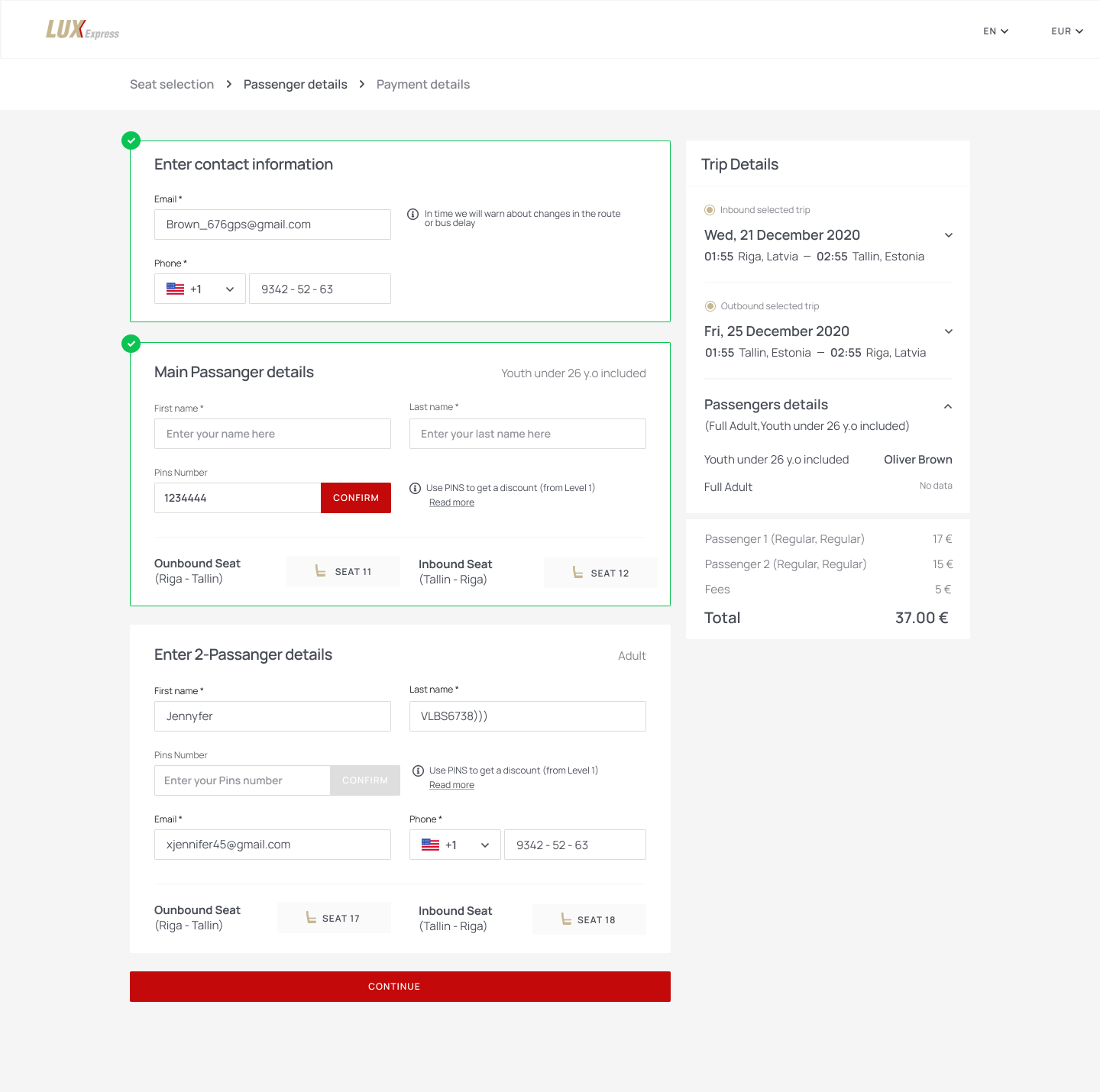
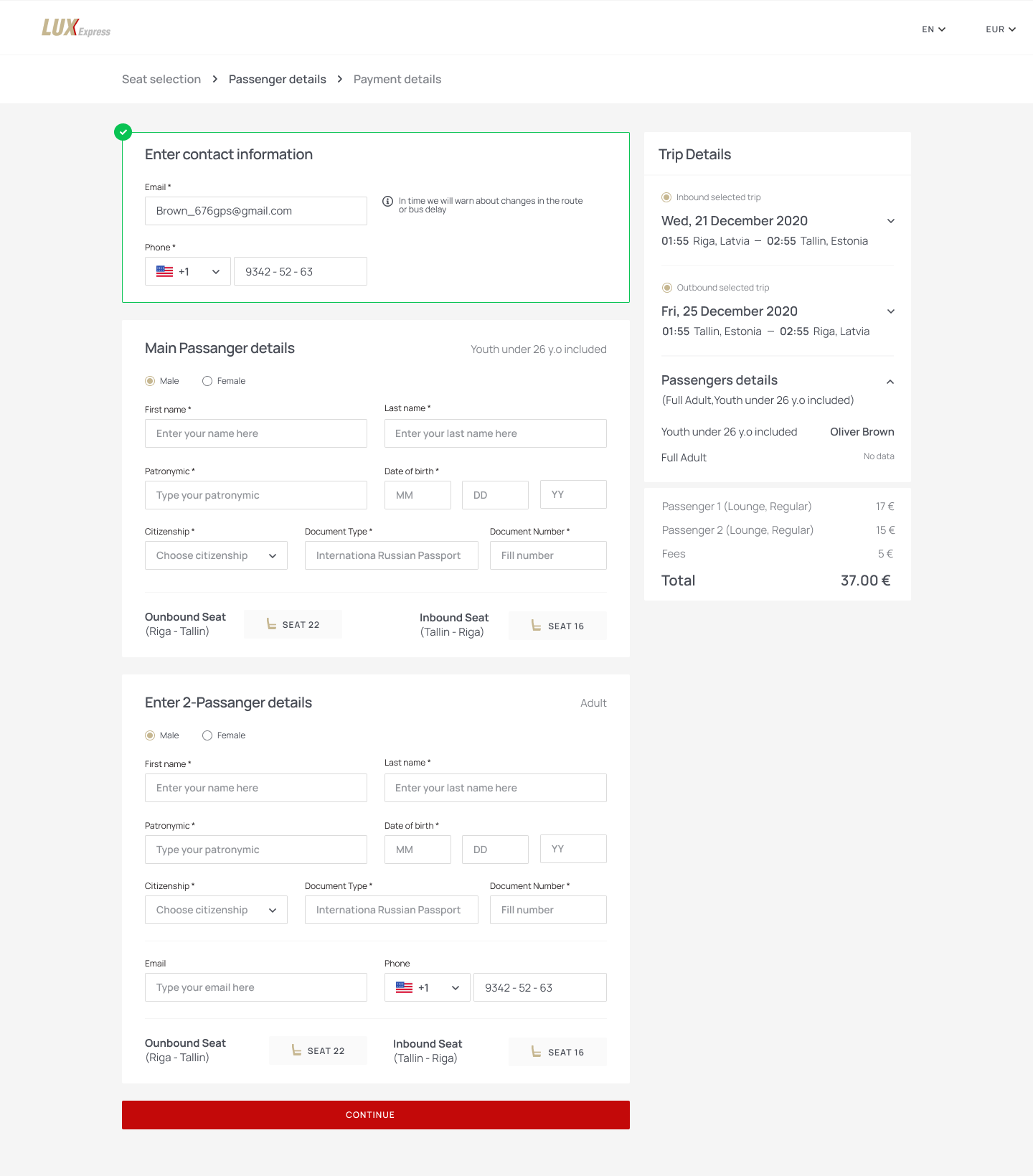
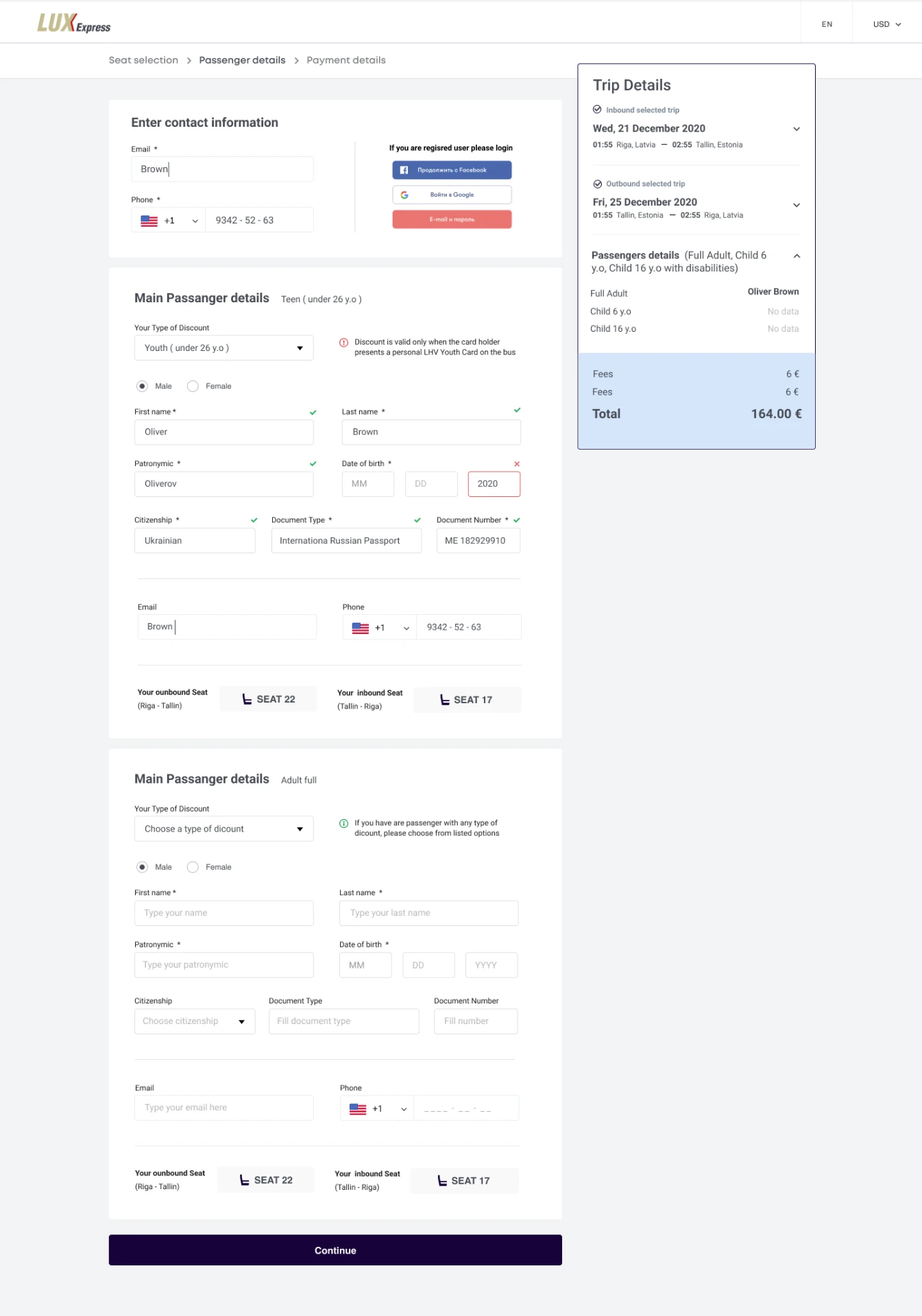
We combined existing market research, stakeholder knowledge, competitive analysis, funnel review and a detailed heuristic audit. Analytics showed the passenger-details stage took the most time; the audit explained why the whole journey felt slower and less certain than it needed to be.
01
Search results
02
Passenger details
03
Seat selection
04
Additional services
05
Payment selection
06
Confirmation
Search and availability
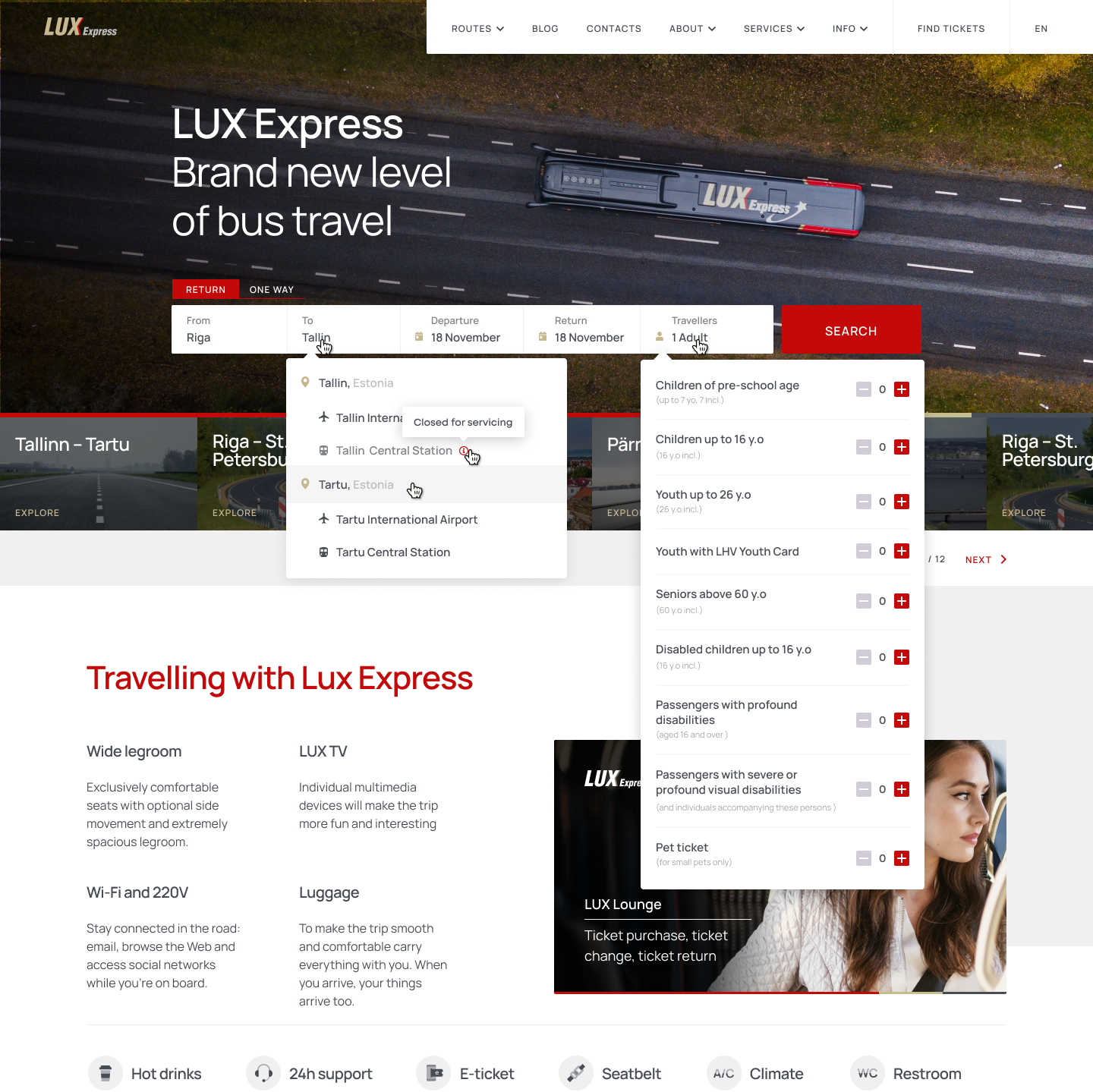
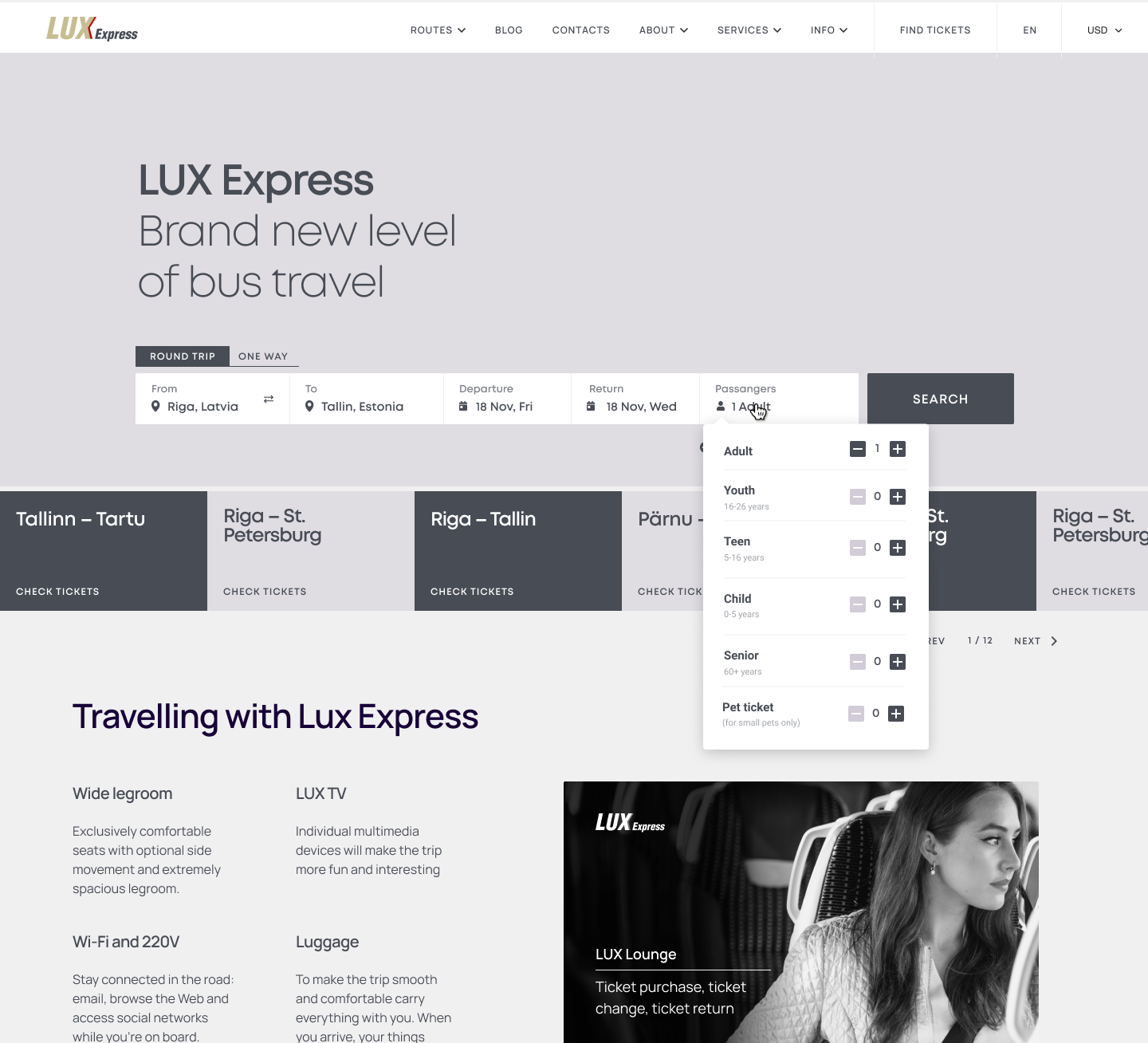
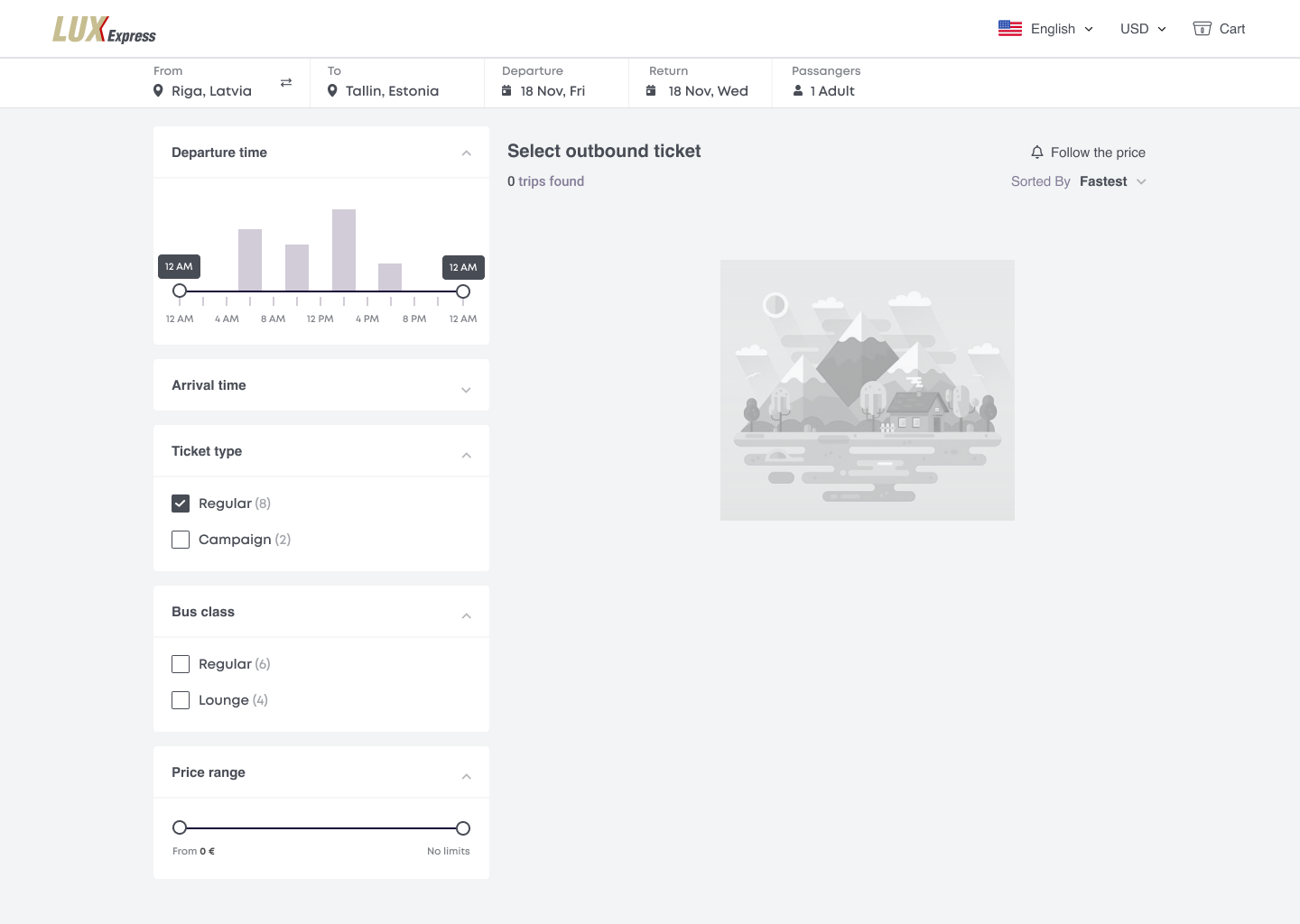
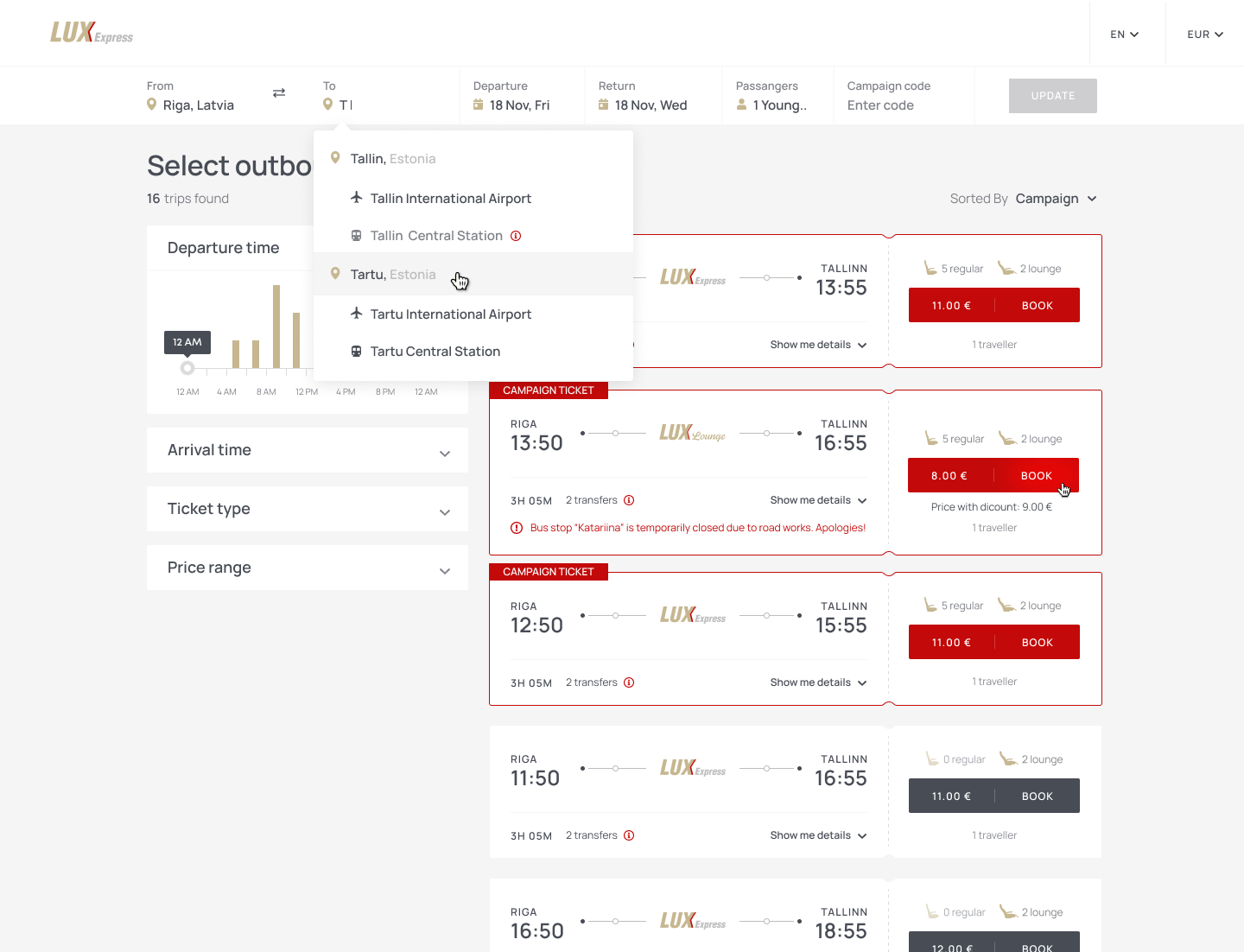
- The primary search action did not always look clearly clickable.
- Passenger categories and discount eligibility were hard to discover early.
- Closed or unavailable stops stayed selectable until a later step.
- Stop names lacked context such as city centre, railway station or airport.
- Already booked or unavailable departures could still appear in results.
Ticket comparison
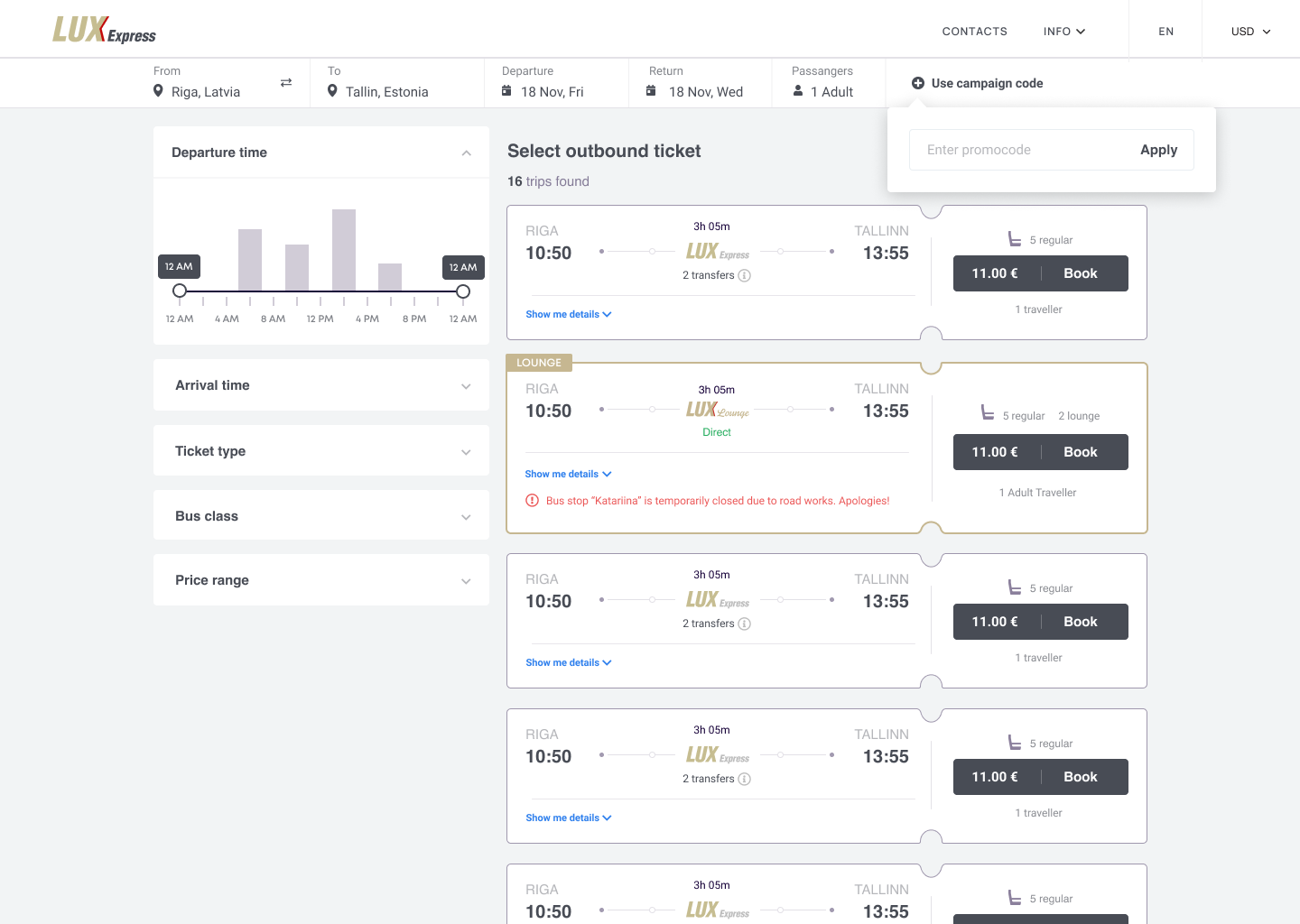
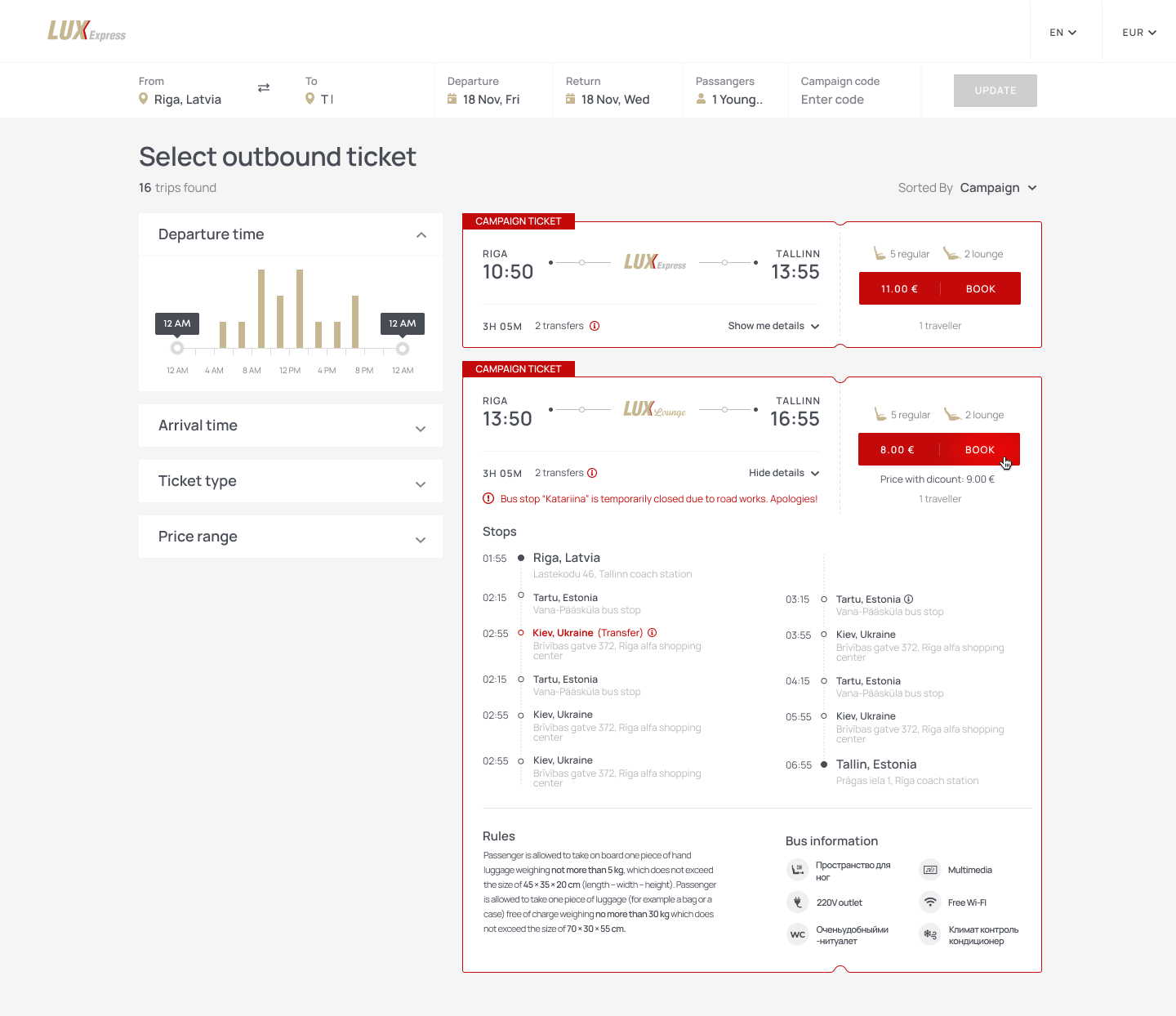
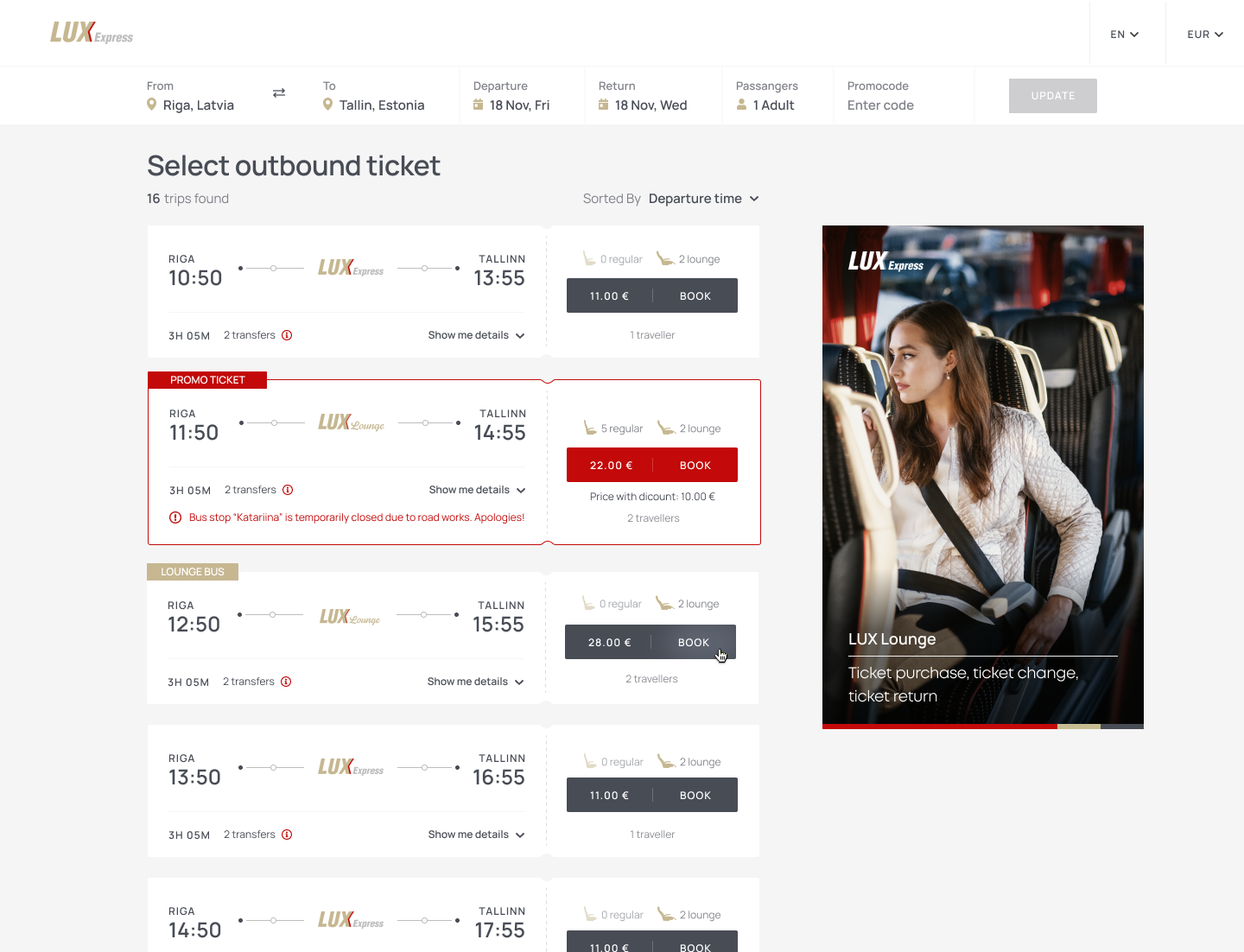
- The difference between Regular and Lounge was not clear enough.
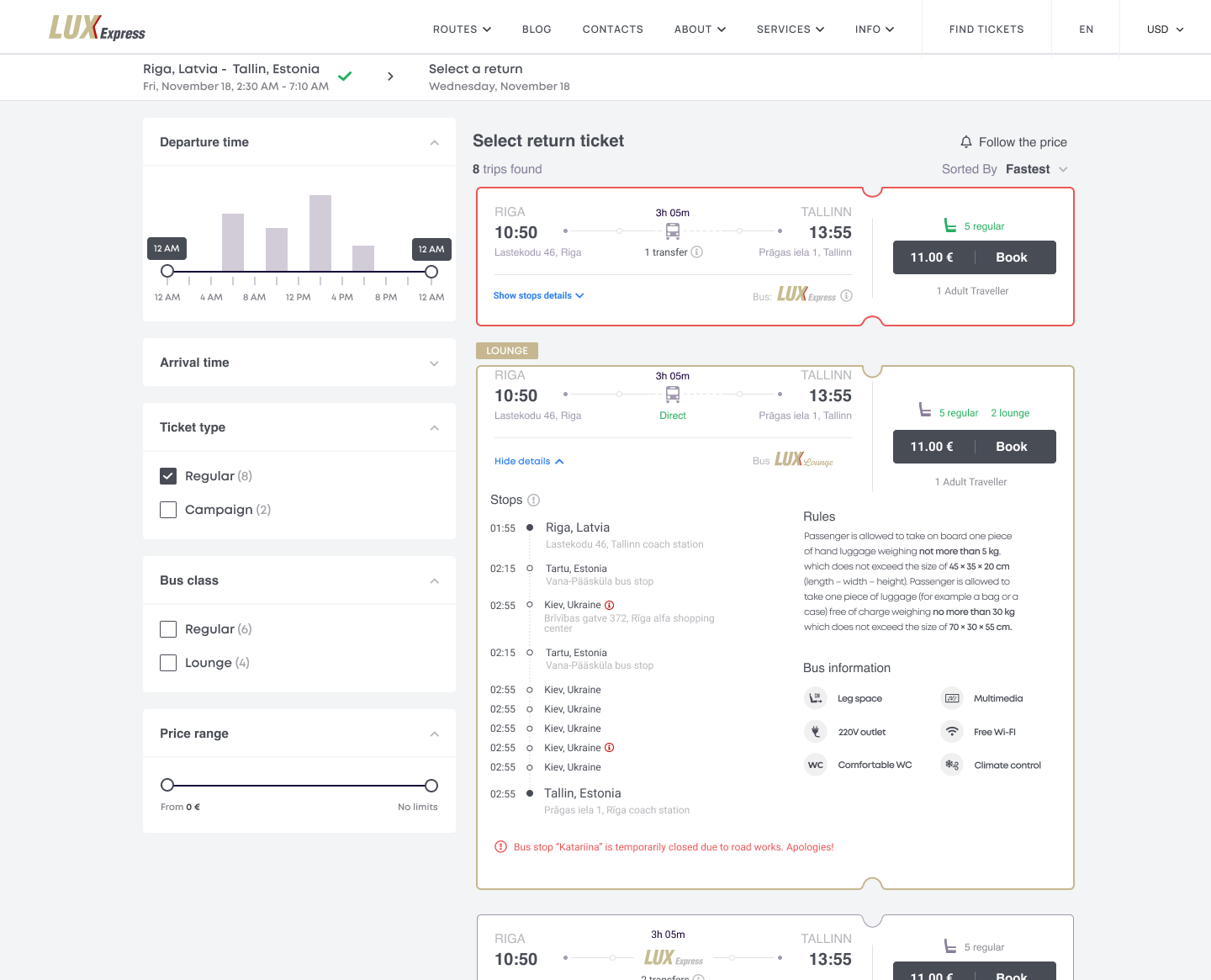
- Seat availability and service provider were not visible while comparing.
- Campaign fares appeared preselected while non-refundable conditions lacked emphasis.
- Return-trip selection could fall below the first mobile viewport.
Passenger and seat selection
- Email and phone fields lacked adequate validation.
- There was no clear way to request assistance for a passenger with a disability.
- Repeated and multi-trip seat selection became complex inside collapsible sections.
- A large fixed progress indicator and CTA reduced the usable viewport.
Errors, recovery and measurement
- Generic “unknown error” messages did not help passengers recover.
- Changing a stop or date could reset a selection or force a context switch.
- Editing a purchased trip was not treated as a first-class journey.
- Critical search and purchase interactions were not tracked consistently.
05 — Design principles
Five rules behind every product decision.
Fast, but never ambiguous
Speed comes from removing unnecessary decisions and repetition — not from hiding what passengers need in order to trust the purchase.
The trip, not the transaction
The app should support discovery, booking, preparation, boarding, changes and future travel.
Make the premium experience visible
Comfort, amenities, seat class, route details and service quality should be evident while comparing options.
Design for real travel conditions
Tickets, seat numbers, departure locations, reminders and support must be findable in seconds, often on the move.
Measure every critical decision
The product should produce reliable behavioural data so the team can test hypotheses and improve the funnel.
06 — Product strategy
One application for booking and for travelling.
The proposed app connected two previously separate experiences: regular ticket purchase for occasional passengers, and POT subscription travel for frequent ones. Both shared route search, departures, seats, passenger identity, tickets, payments and trip management, while keeping their own rules and states.
This structure changed the product from a one-off checkout into an ongoing customer relationship.
07 — The redesigned journey
Search → compare → seat → pay → travel.
Search with the right context upfront
Origin, destination, date, return, passenger count and discount categories become understandable before results appear. Stops carry location context and unavailable choices are prevented rather than explained later through an error.
Departure cards for confident comparison
Times, duration and stops, Regular or Lounge class, remaining seats, ticket flexibility and campaign restrictions, amenities and operating provider — all on one card, with the whole card as the interaction target.
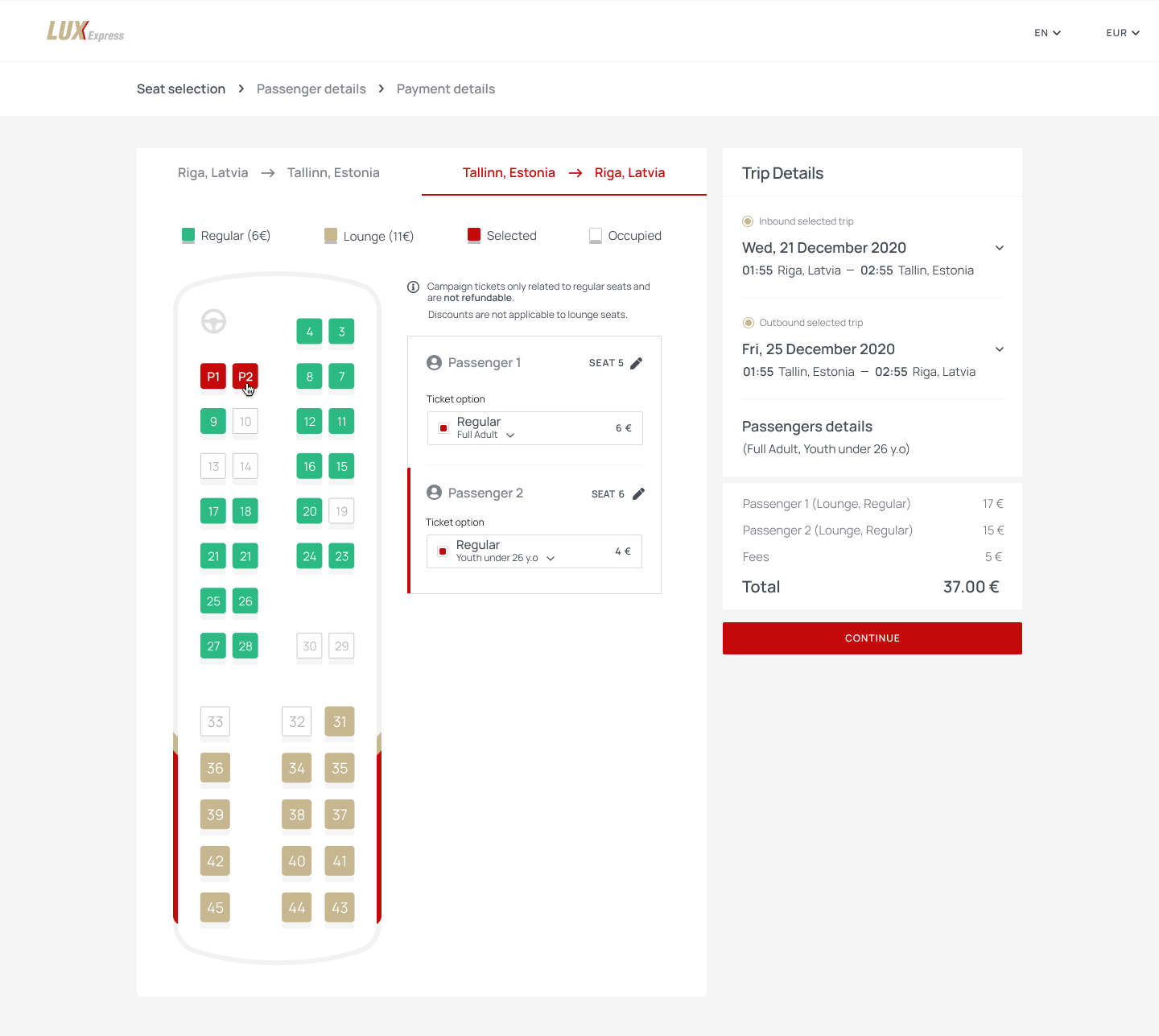
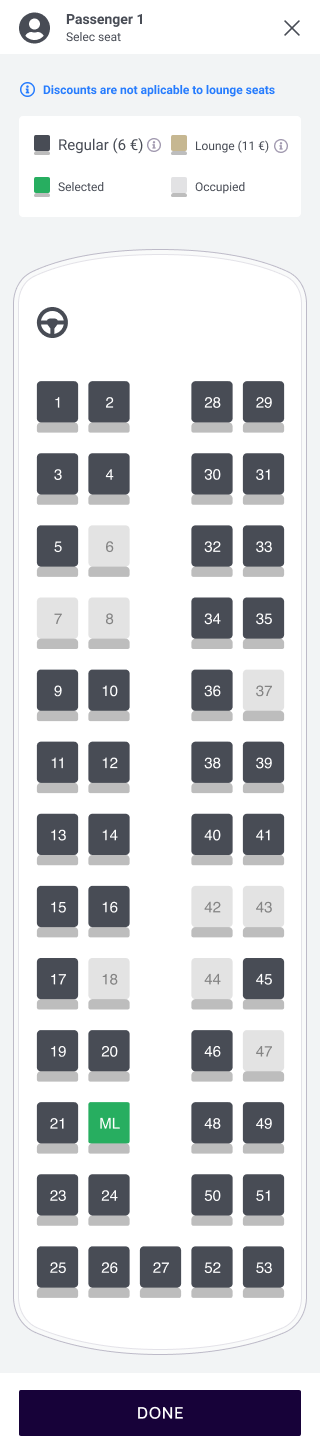
Clear seat-class and seat selection
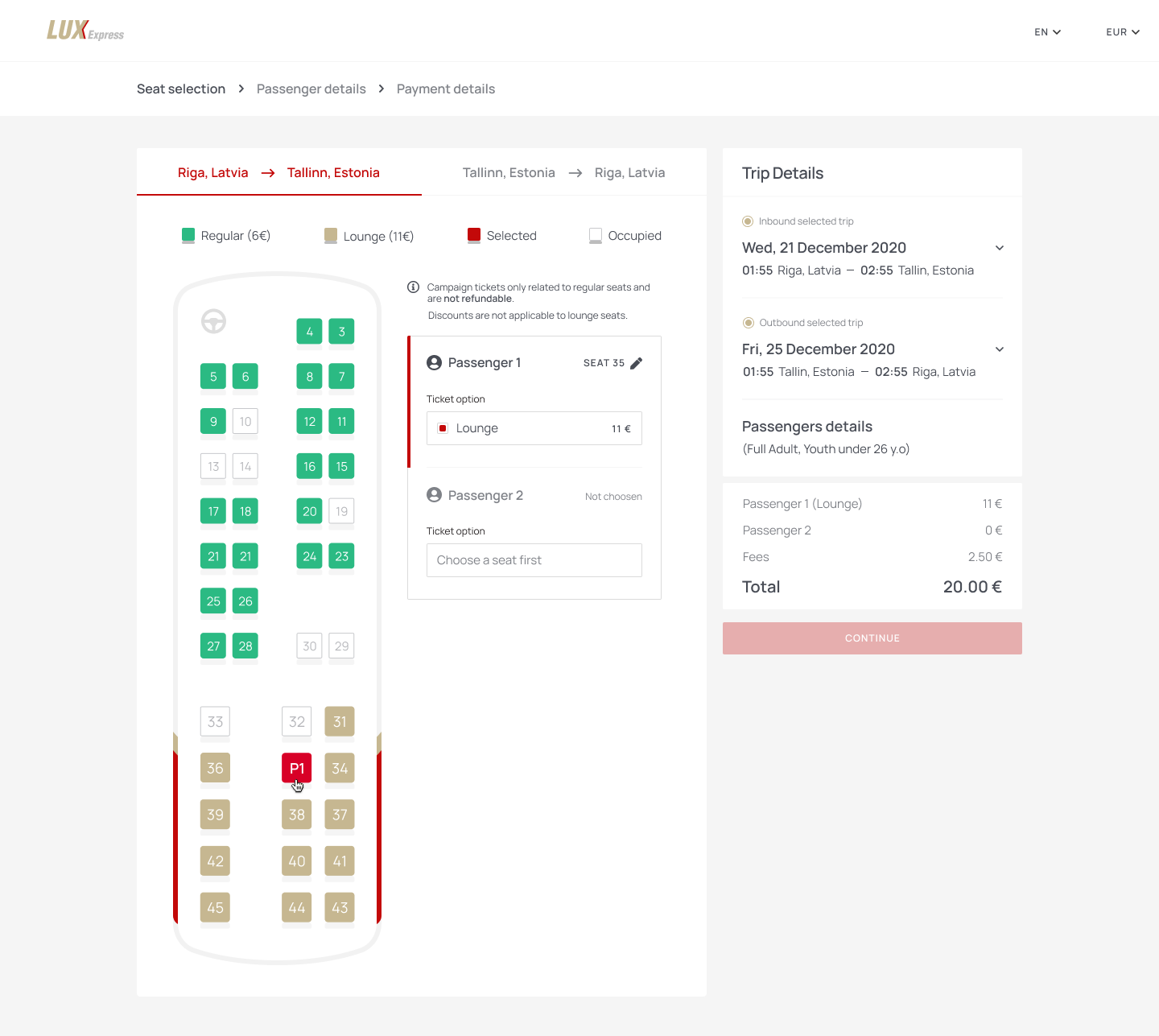
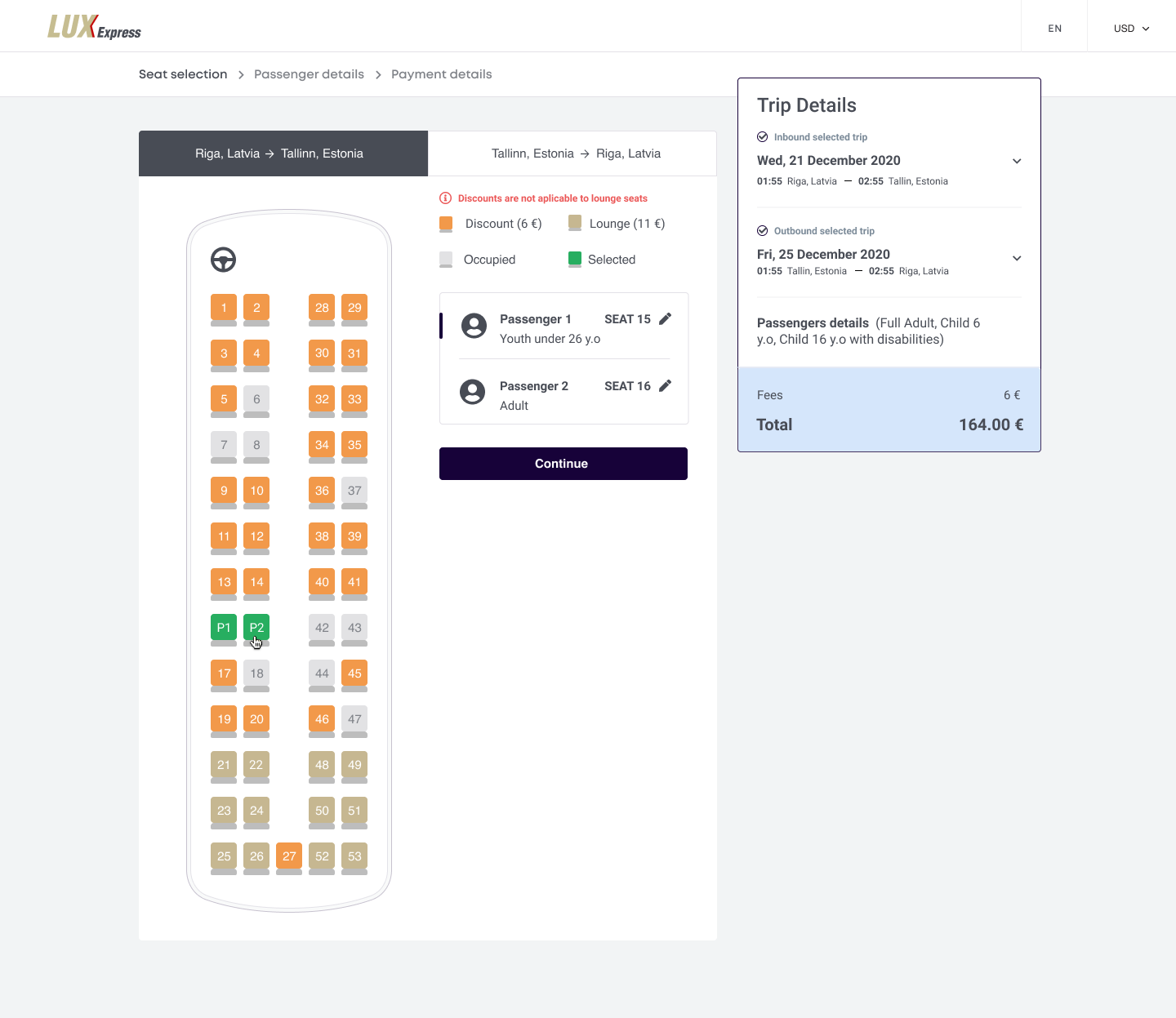
Regular and Lounge sections are visually distinct, with a clear legend and more spacious seat representation. For several passengers or legs, the interface keeps context and shows completion status.
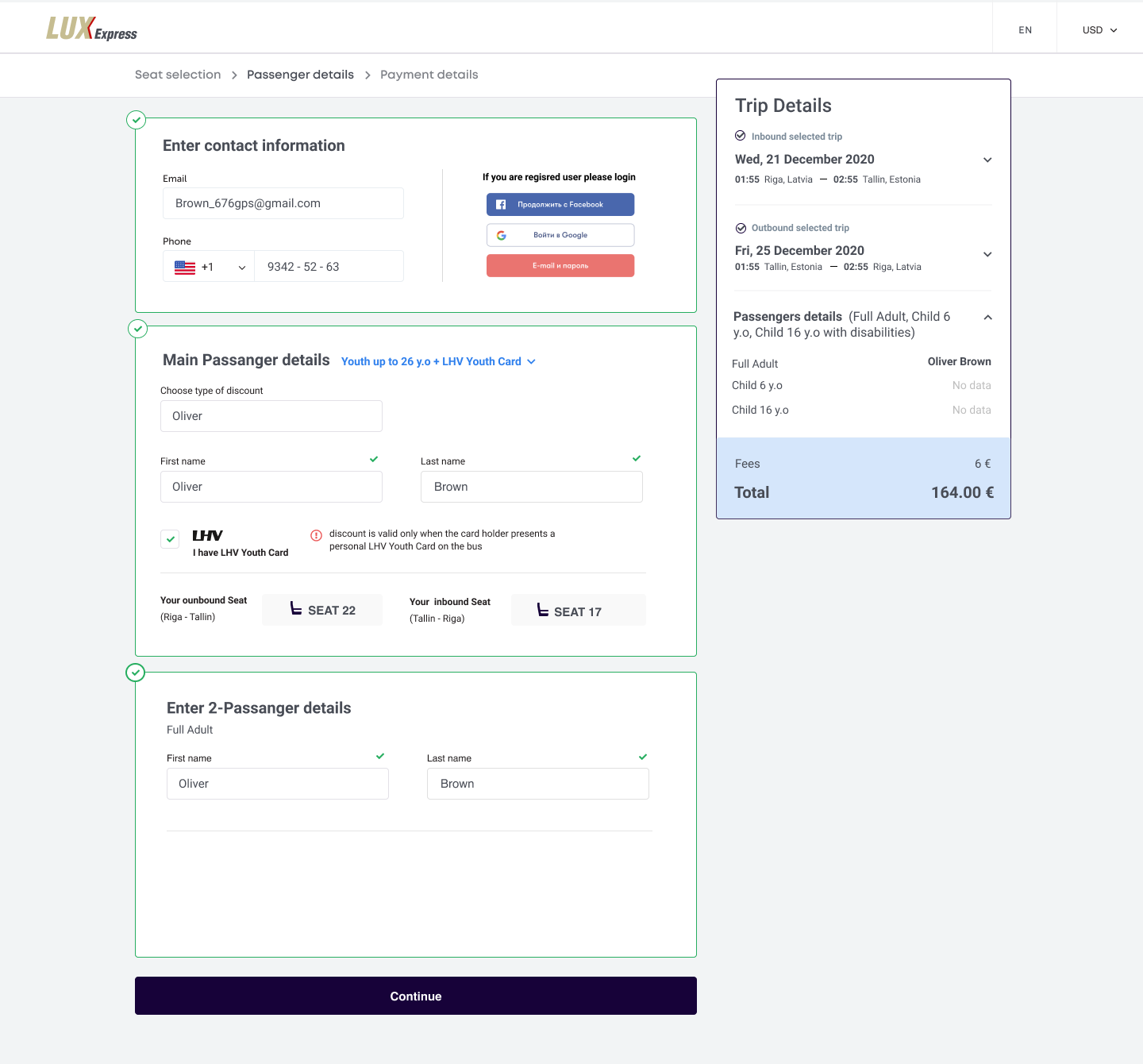
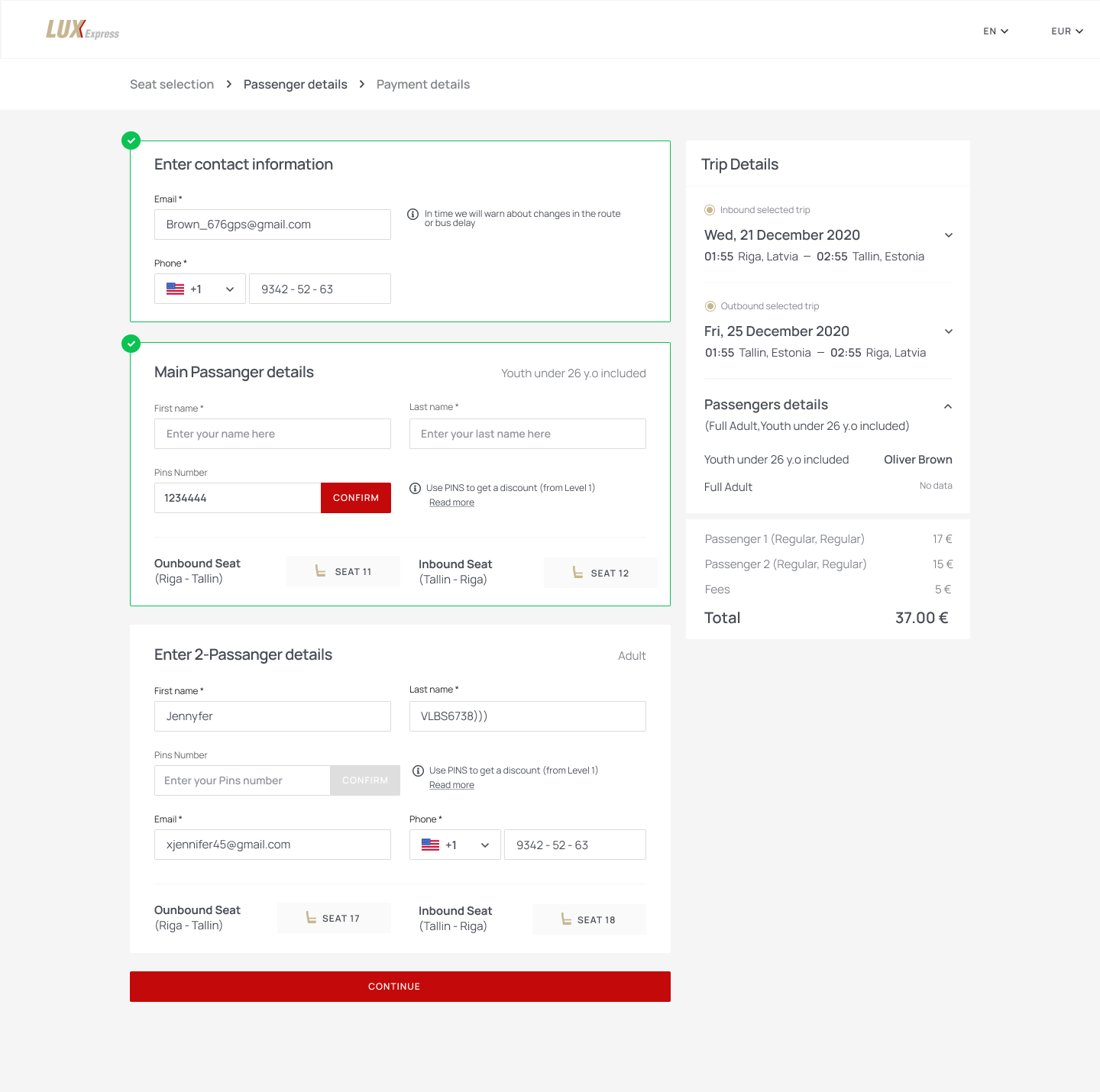
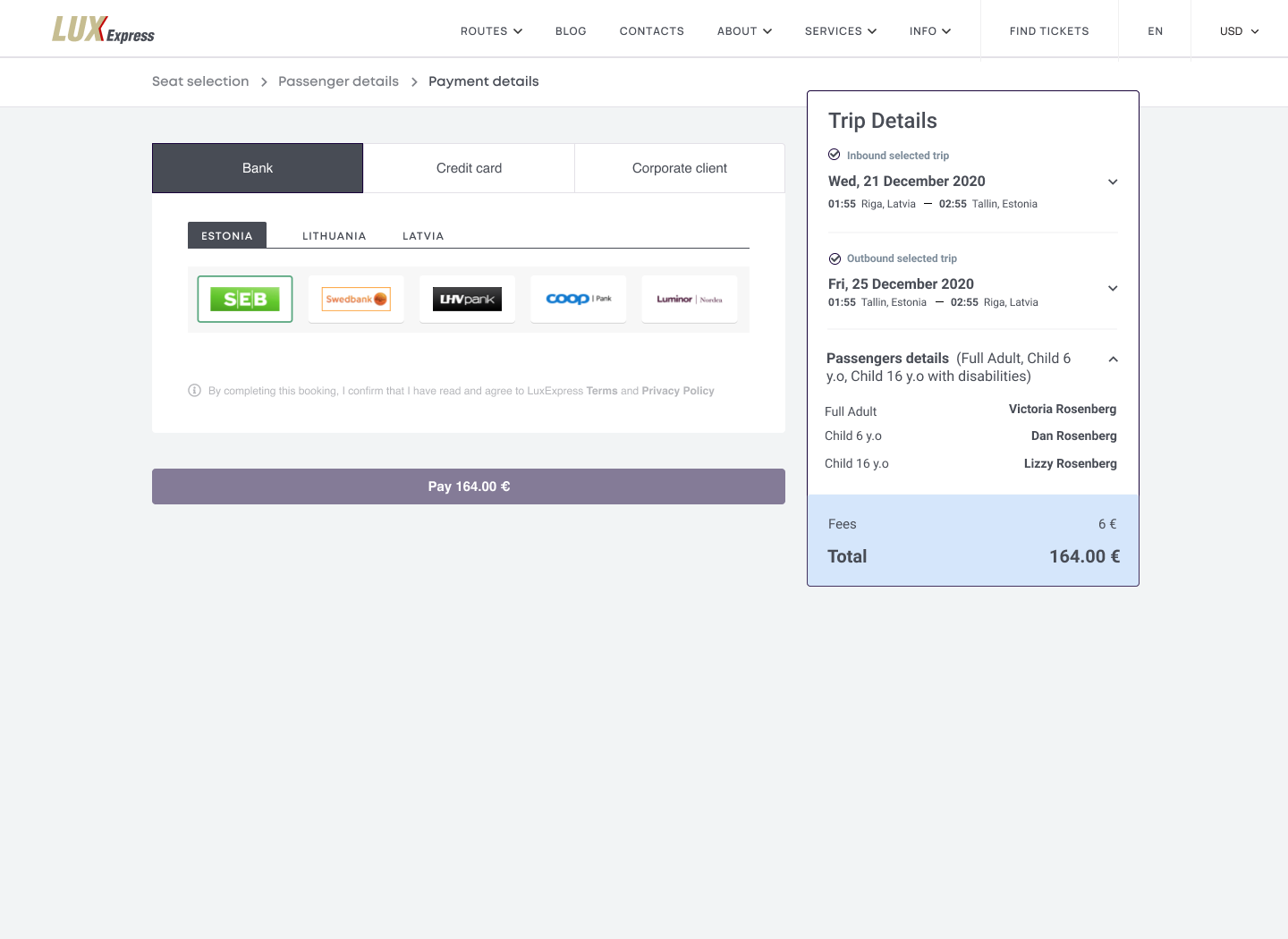
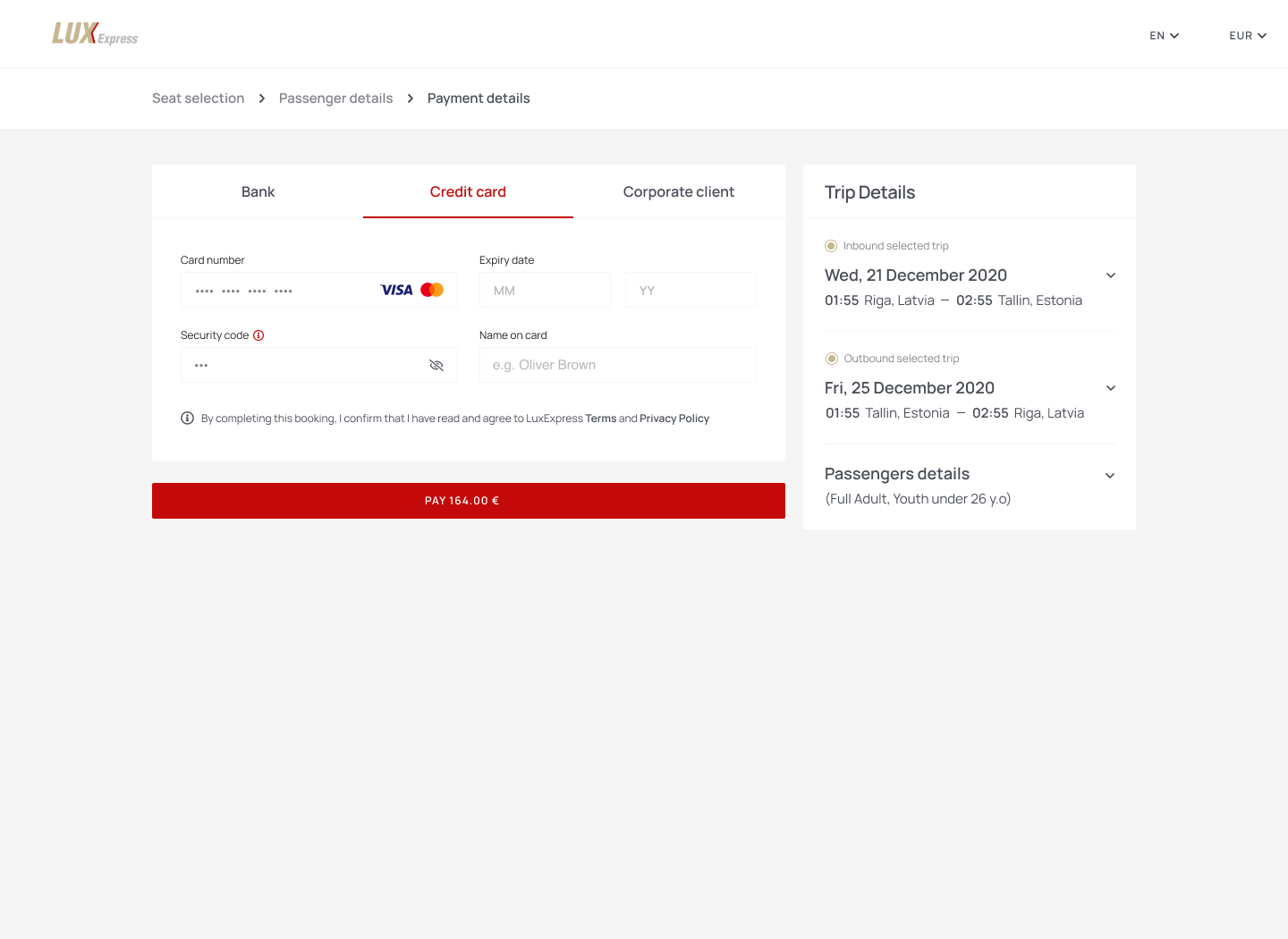
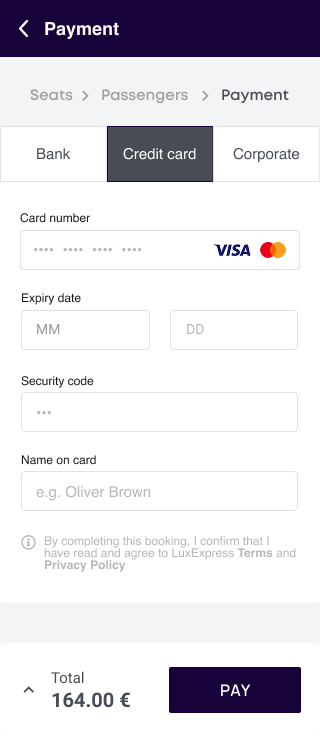
Simplified passenger details
Input masks, validation, stored traveller details and saved payment methods remove repetitive work. Accessibility needs can be stated directly so operations can prepare assistance.
Services and upgrades in context
Optional services read as trip enhancements rather than checkout obstacles: Lounge upgrades, meal pre-ordering, first-/last-mile taxi and travel essentials.
Confirmation that prepares the passenger
QR code, passenger name, seat number and type, departure location and ticket conditions come first, with next steps such as Apple Wallet or calendar.
A usable ticket after purchase
The active ticket is an operational travel tool: time-sensitive information at a glance, with trip details, luggage rules, FAQs, changes and support one step away.
07b — Mobile experience
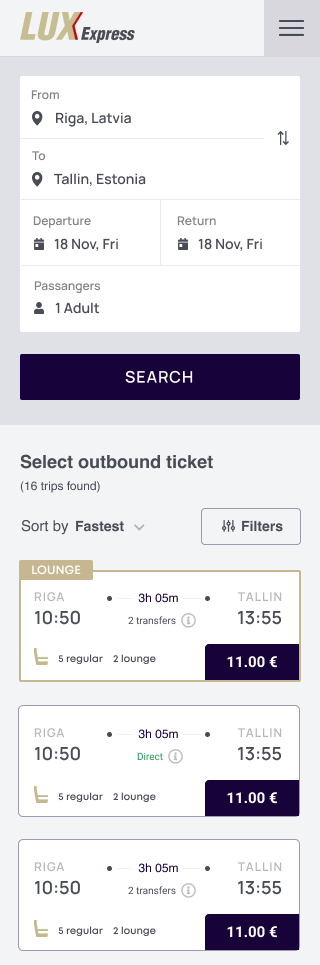
The same journey, rebuilt for one thumb.
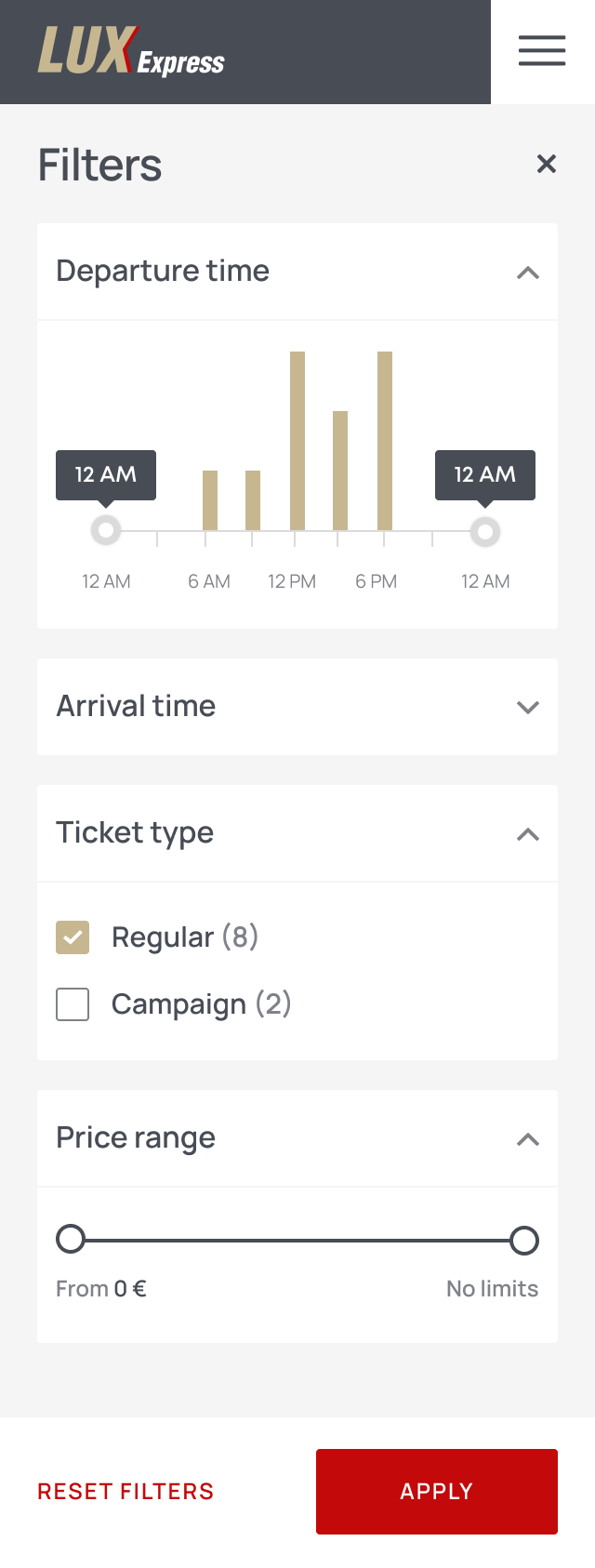
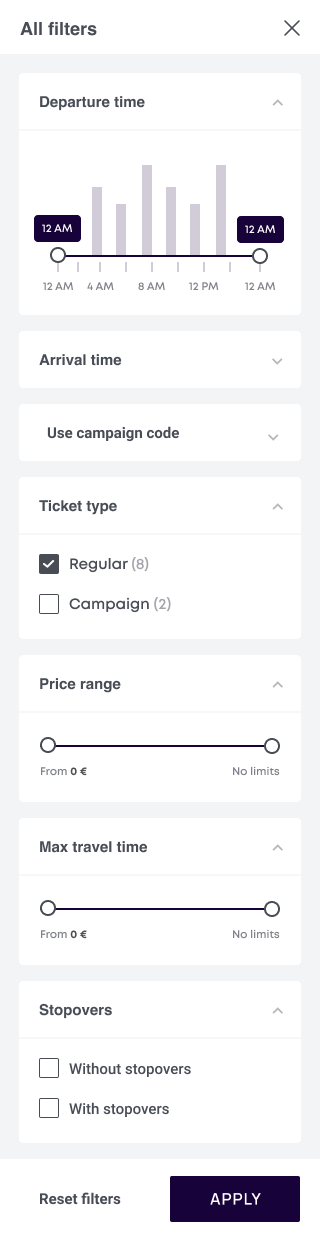
On mobile the booking journey had to survive a narrow screen: search collapsed into a single stacked card, results became scannable ticket rows, and filters moved into a full-height sheet with an always-visible apply action.


07c — Seat selection
Seat, fare class and price explained on one screen.
Seat choice was where fare rules became concrete. The map carries the pricing logic itself — regular, Lounge, discounted, occupied and selected — while each passenger keeps their own seat, ticket option and running total.
08 — POT subscription
A different model from a single ticket purchase.
A frequent traveller could subscribe to a plan, book eligible trips, manage active reservations and upgrade when needed. Design review refined the practical details: fully clickable result cards, less branding inside the product, clearer Lounge options, a stronger seat on the active ticket, the traveller's name, and Apple Wallet support.
- Subscription-plan comparison and onboarding
- Account and payment-card verification
- Active subscription and upgrade states
- Booking a trip within subscription rules
- Managing active and historical trips
- Changing a date, destination, seat or class
- One-time Lounge upgrades
- Renewal, payment failure, card expiry and cancellation communication
- Limits that prevent speculative overbooking
- Personal tickets with passenger identity verification
09 — Notifications
Contextual product behaviour, not a marketing channel.
Notifications connected the interface with the realities of travel and reduced the burden on passengers to remember every condition.
10 — Analytics foundation
Measuring every critical decision.
Alongside the experience design, we defined a measurement framework for both regular purchases and subscription journeys.
Core funnels
- App install → registration → verification
- Search → result view → ticket selection → passenger details → seat → payment → purchase
- POT plan view → subscription selection → payment → activation
- Active subscription → trip search → booking → ticket
Key event dimensions
- Origin and destination country, city and stop
- One-way or return journey
- Regular, Lounge, campaign or subscription ticket
- Passenger and discount type
- Number of tickets
- Promo-code use
- Payment method
- Route and product revenue in one currency
11 — Outcome
A coherent product foundation for the mobile ecosystem.
- A cross-functional product strategy connecting business goals and passenger needs
- A 22-point UX and conversion audit of the existing ticket flow
- A simplified mobile booking model built around clarity and speed
- Information architecture for tickets, subscriptions, payments, trips, notifications and support
- Detailed concepts for search, comparison, seats, checkout, confirmation and active tickets
- A POT subscription experience covering onboarding, booking, upgrades, changes and renewal states
- A structured analytics plan for acquisition, registration, purchase, subscription and revenue
- A roadmap for meals, first-/last-mile transport, flexible tickets and loyalty
The source materials document research, strategy, audit, flows, concepts and review decisions. They do not contain verified post-launch conversion or retention results, so no performance metrics are claimed here.
Mobility products cannot be designed as checkout funnels alone. Trust lives in dozens of small moments — where a stop actually is, who operates the bus, whether a ticket is refundable, where the seat number is.
The most valuable decision was to treat ticket purchase, trip management, subscription and service communication as parts of one journey. That perspective created a foundation that could improve conversion while also supporting retention and a stronger long-term relationship with passengers.